
No products in the basket.

Teltonika TAP400 – WiFi6 Access Point Leave a comment
TAP400: A Proper Wi-Fi 6 Access Point for Real-World Business Networks
Business Wi-Fi fails for boring reasons. Too many users, cheap access points, weak uplinks, poor roaming, and zero visibility once the install is finished. The Teltonika TAP400 exists to fix exactly those problems.
This is not a consumer mesh puck dressed up for offices. The TAP400 is a business-grade Wi-Fi 6 access point designed to sit properly inside a managed network, scale cleanly, and stay stable under load.
If you are already using Teltonika routers, switches, or RMS, it fits straight in. If you are not, it still works as a solid standalone Wi-Fi access point without unnecessary complexity.

What the Teltonika TAP400 actually is
The Teltonika TAP400 is a ceiling-mount Wi-Fi 6 (802.11ax) access point built for high-density environments where multiple users and devices are connected at the same time.
It supports:
- Dual-band Wi-Fi 6 (2.4 GHz and 5 GHz)
- High client counts without collapsing
- Fast roaming between access points
- Mesh operation where cabling is limited
- Centralised remote management through RMS
Crucially, it also includes a 2.5 Gigabit Ethernet uplink, which immediately separates it from entry-level access points that choke once wireless speeds exceed gigabit.
Why Wi-Fi 6 actually matters in business installs
Wi-Fi 6 is often marketed as “faster Wi-Fi”. In practice, speed is rarely the real problem.
The real problem is efficiency.
In offices, retail, education, and hospitality environments, you are dealing with:
- Many devices connected at once
- A mix of laptops, phones, tablets, printers, VoIP, and IoT
- Short bursts of traffic from lots of endpoints
- Congested airspace, not distance
Wi-Fi 6 improves how airtime is shared between devices. That means:
- Less waiting
- Lower latency
- More consistent performance under load
The Teltonika TAP400 is designed around that reality, not around headline speed tests in empty rooms.
2.5GbE uplink: the part most people miss
One of the quiet advantages of the TAP400 is the 2.5GbE Ethernet port.
Many Wi-Fi access points advertise multi-gig wireless performance, then connect back to the network over a single 1Gbps Ethernet port. At that point, the bottleneck simply moves from wireless to wired.
The TAP400 avoids that mistake.
When paired with a suitable switch, the TAP400 can actually deliver the throughput that Wi-Fi 6 makes possible, especially in multi-user environments.
This matters in:
- Modern offices with fast internet connections
- Local servers or NAS on the LAN
- Sites with multiple access points feeding back to a core switch
Fast roaming that actually works
Roaming is one of the most common failure points in business Wi-Fi installs.
Devices cling to weak signals, calls drop mid-conversation, and users blame “the Wi-Fi” without knowing why.
The Teltonika TAP400 supports:
- Fast roaming
- Assisted roaming
- Proper hand-off between access points
In plain terms, devices move between access points cleanly and quickly, without noticeable drops.
This is particularly important in:
- Offices with multiple rooms or floors
- Retail environments
- Warehouses and training centres
- Any space where users are moving while connected
Mesh support when cabling is not perfect
Not every building is easy to cable.
The Teltonika TAP400 supports wireless mesh, allowing access points to link together when Ethernet runs are impractical or expensive.
Mesh should never replace proper cabling where it is available, but when used correctly it can:
- Extend coverage into difficult areas
- Reduce install time
- Provide flexibility during building changes or refurbishments
Used sensibly, mesh on the TAP400 is a practical tool, not a marketing gimmick.
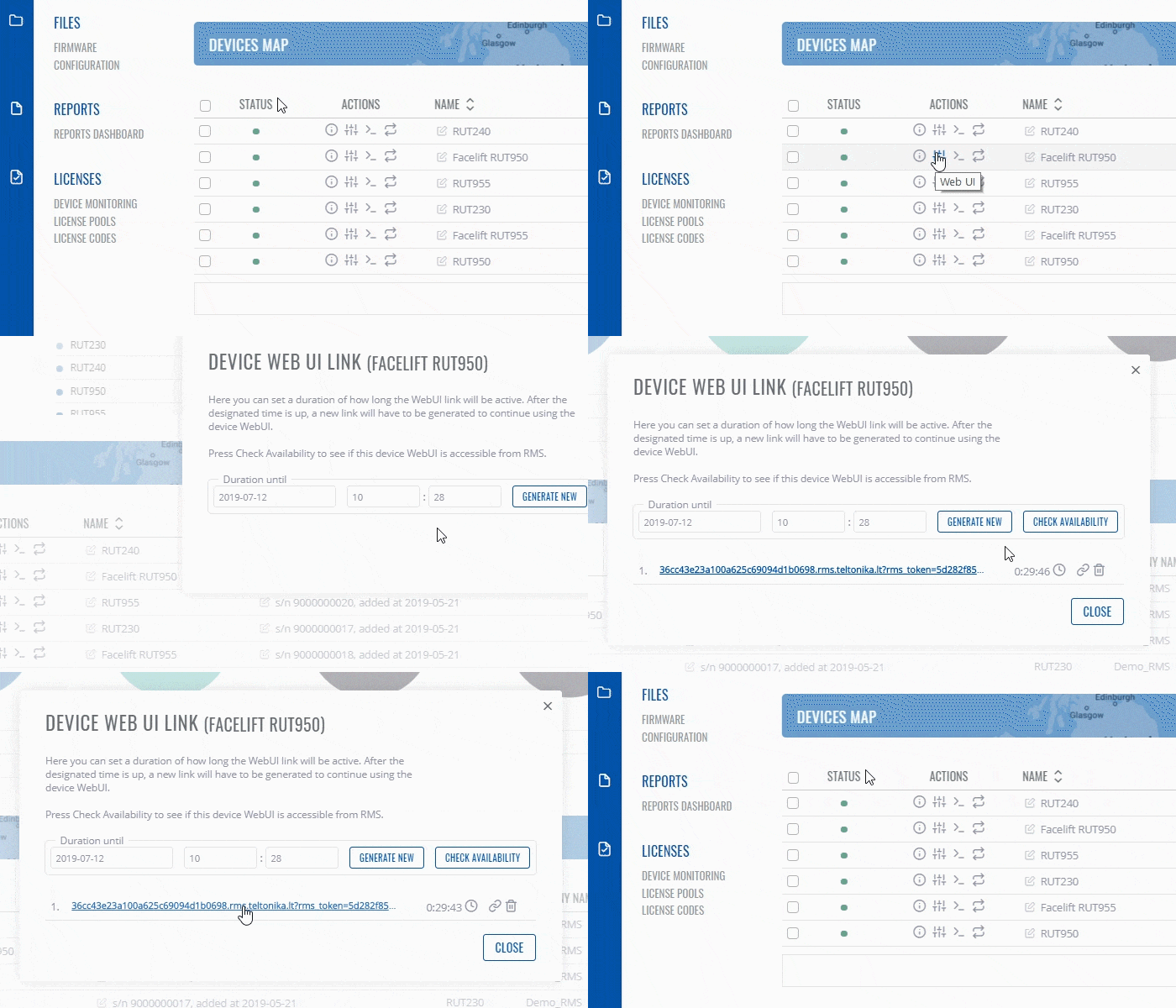
Centralised management with RMS
One of the biggest advantages of choosing a Teltonika Wi-Fi access point is RMS.
With Teltonika RMS, the TAP400 can be:
- Configured remotely
- Monitored continuously
- Updated without site visits
- Managed alongside Teltonika routers and switches
For installers, MSPs, and IT teams, this changes the economics of support. You are not relying on end users to explain problems, and you are not guessing what is happening on the network.
Everything is visible, logged, and manageable from one place.
Ceiling-mount design that suits commercial spaces
The TAP400 uses a low-profile ceiling-mount design with internal antennas.
That matters for two reasons:
- Coverage is even and predictable
- The hardware does not look out of place in offices, shops, or public buildings
Power is delivered via PoE, so there is no need for local power sockets at ceiling height, simplifying installs and reducing clutter.
Where the Teltonika TAP400 makes sense
The TAP400 is well suited to:
- Business and enterprise offices
- Retail and hospitality environments
- Education and training facilities
- Smart buildings and shared workspaces
- Multi-AP Wi-Fi networks requiring roaming
- Sites already using Teltonika routers and RMS
It is especially attractive where:
- Reliability matters more than consumer features
- Ongoing support and visibility are important
- Networks are expected to grow over time
TAP400 vs cheaper Wi-Fi access points
Cheaper access points often work fine on day one. Problems appear later.
Common issues include:
- Performance collapse as client numbers increase
- Poor roaming behaviour
- Limited management once installed
- Firmware updates that break stability
- No meaningful diagnostics
The Teltonika TAP400 is designed to avoid those problems by focusing on:
- Stability first
- Proper management tools
- Predictable performance under load
- Integration into wider network infrastructure
It is built for people who have to support networks, not just sell them.
Final thoughts
The Teltonika TAP400 is a sensible, professional Wi-Fi 6 access point for real business networks.
It does not chase gimmicks. It focuses on:
- Efficient Wi-Fi 6 performance
- Proper wired uplink capacity
- Clean roaming and mesh
- Centralised management
- Long-term reliability
If you are building or upgrading a business Wi-Fi network and want something that will still behave properly a year from now, the TAP400 is a strong choice.
